Big picture: what’s going on when you “stay logged in”
When you sign in to Gmail, Drive, Admin Console, etc., Google Workspace creates one or more session cookies in your browser that act as a cryptographic “badge” proving you already authenticated. These cookies hold opaque, signed tokens (not your password or email) that Google servers validate on every request to decide who you are and what you can access.

From a developer’s perspective, this is just session-based auth over HTTPS: browser stores cookies, sends them automatically, server validates the token and returns content if the session is valid. Google then layers a lot of security on top (encryption, signatures, device-binding) to defend those cookies, because if an attacker steals them, they can hijack the session.
Google cookies vs “session authentication tokens”
Cookies: the transport and storage mechanism
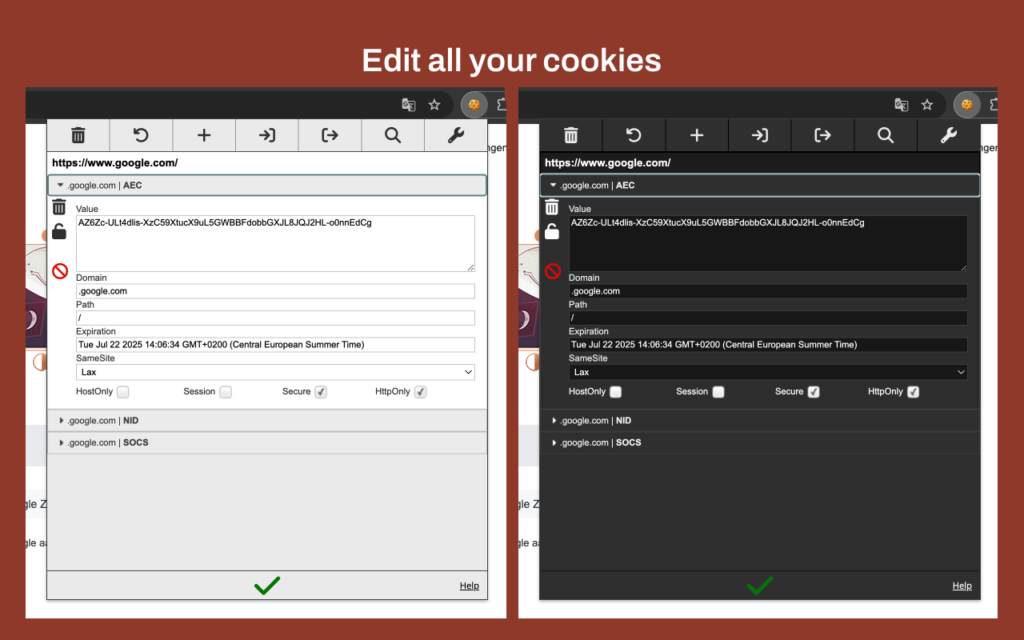
A cookie is just a key=value pair your browser stores and automatically attaches to matching HTTP requests. For Google/Workspace, important characteristics:
- Identity & session cookies: Things like
SID,HSID,SAPISID, etc., are used to identify your logged-in account, protect integrity, and interact with APIs. - Security flags: They are set as
Secure,HttpOnly, with tight domain/path scoping, and often short lifetimes or rotation to reduce attack windows. - No raw secrets: They carry encrypted/signed tokens, timestamps, and integrity checks; the actual user data and auth logic live server-side.
So: a cookie is where the browser stores the credential and how it gets sent; it is not inherently an “auth mechanism” by itself.
Session authentication tokens: what’s inside
A session authentication token is the actual credential Google uses to say “this browser is user X, authenticated at time T, with these properties and scopes”.
For Workspace:
- After a successful login (password + 2FA/passkey, SAML, etc.), Google generates session tokens that represent your authenticated state.
- These tokens are encoded (often as signed, encrypted blobs) and placed inside cookies like
SIDand friends, or used as bearer tokens in some API contexts. - Tokens may include claims like who you are, which Workspace domain you belong to, what scopes/permissions you have, and when the token expires.
So: cookies carry session tokens, and Google validates those tokens on each request.
How a Workspace login flow typically works (simplified)
Here’s a concrete, dev-friendly view of the flow:
- User signs in
- Server creates session + tokens
- Workspace auth backend creates an authenticated session object and issues session tokens that represent that session.
- It encodes those tokens into secure cookies (
SID,HSID,SAPISID, etc.) and sends them back viaSet-Cookieheaders.
- Browser stores cookies
- Browser saves them, applying domain/path restrictions (e.g.
*.google.com,*.youtube.com) and flags (Secure,HttpOnly).
- Browser saves them, applying domain/path restrictions (e.g.
- Subsequent requests
- Every request to Gmail, Drive, Admin console, etc., includes these cookies automatically.
- Backend verifies the cryptographic signatures, expiry, and sometimes device context (more on DBSC below).
- Session enforcement and rotation
Logged in as {{omniform_current_user_display_name}}. Edit your profile. Log out? Required fields are marked *
Your email address will not be published. Required fields are marked *
Comments are closed.
You must be logged in to post a comment.